To manage backups in the cloud environment, customers are provided with a web-based backup management portal.
Backup Portal URLs
- https://bckvcd.cloud4u.com/ — for the cloud environment https://vcd.cloud4u.com/
- https://bckvcdfz.cloud4u.com/ — for the cloud environment https://vcdfz.cloud4u.com/
- https://bckvcdnsk.cloud4u.com/ — for the cloud environment https://vcd-nsk.cloud4u.com/
After receiving access credentials, you will be able to use the following features:
View Available VM Backups
You can monitor and review all available backups for your virtual machines.
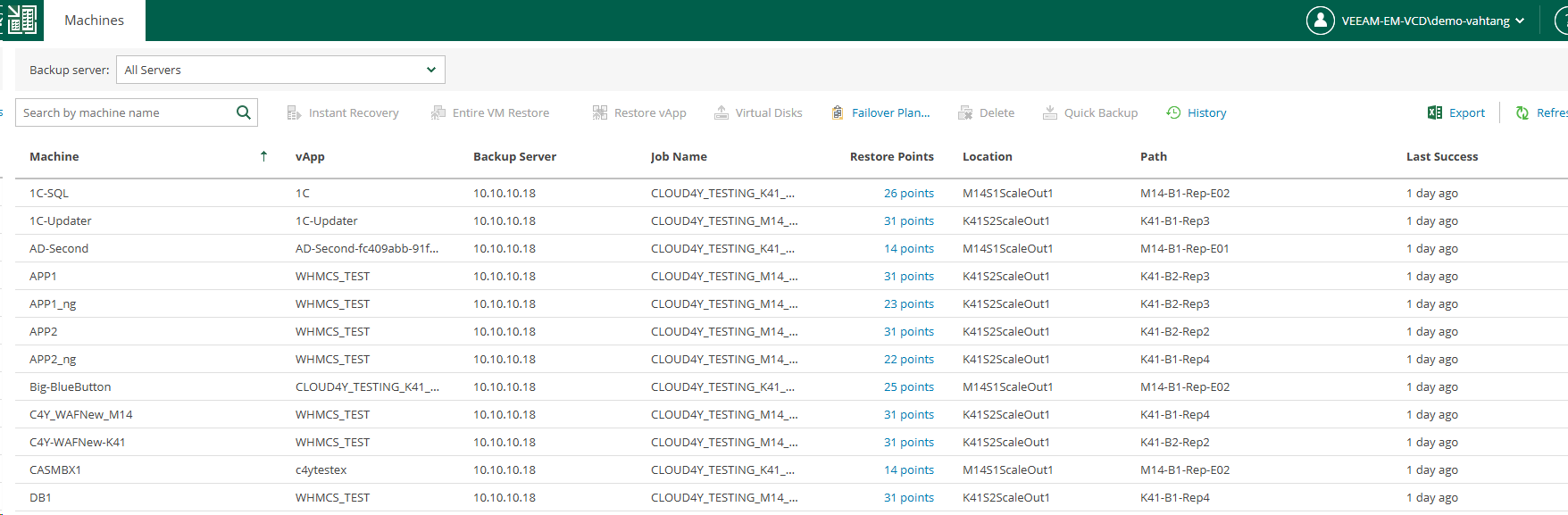
Access available restore points stored in the backup repository.
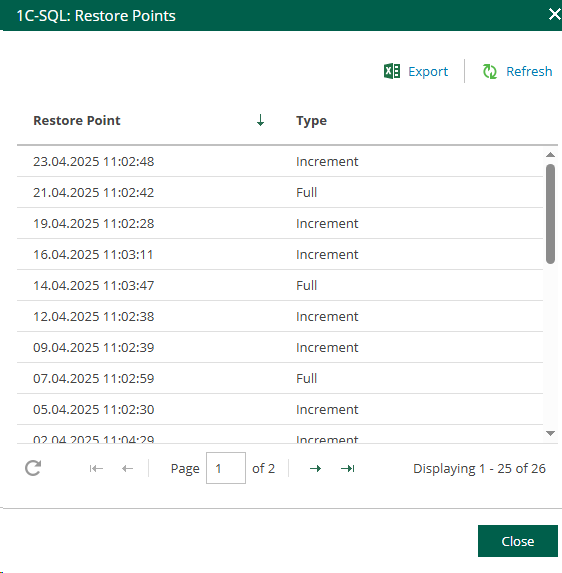
Restore your virtual machines
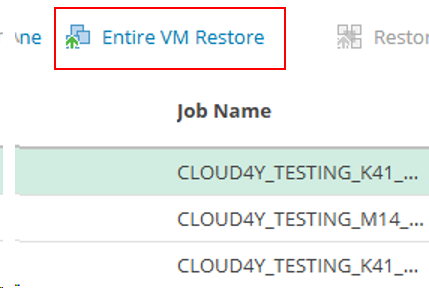
You can restore your VMs directly from the portal:
- Restore over the existing VM
- Restore alongside the existing VM
- Restore to any available restore point in the repository
No support ticket or technical support request is required for these operations.
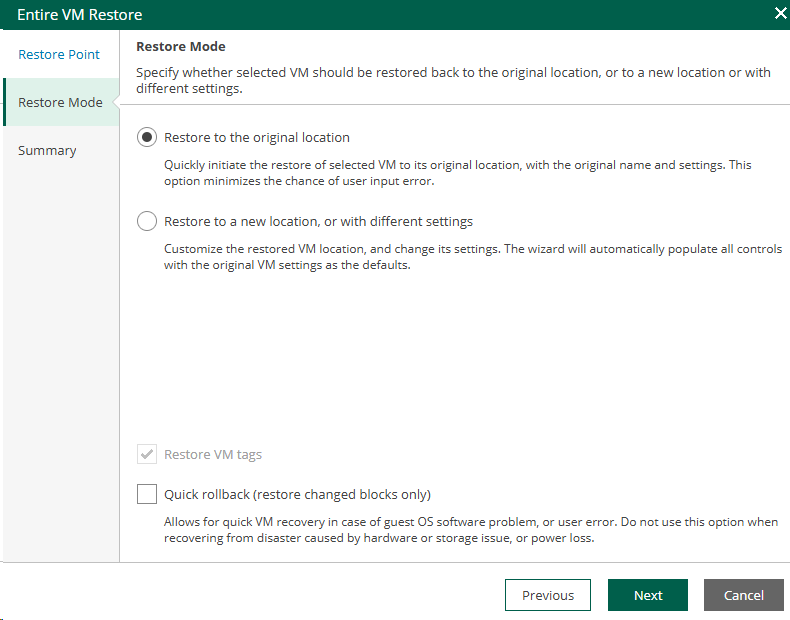
If you are simply rolling back an existing and operational VM to a previous restore point, it is recommended to enable the Quick Rollback option. This significantly speeds up the recovery process by restoring only changed blocks.
For side-by-side restores or restores after a VM has been deleted, only a full restore should be used.
Restore Individual Disks
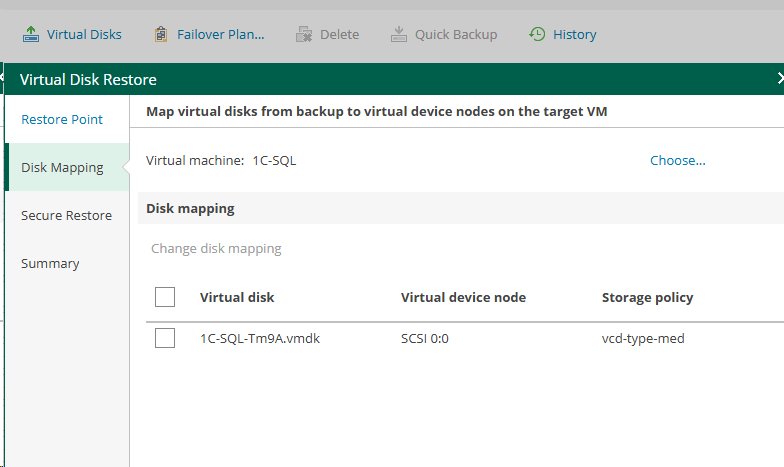
You can also restore individual virtual disks from available backups.
Limitations
Backup job management and manual backup job execution are not available to customers through the portal.